[PUBLIC] FarmD v1.8.0
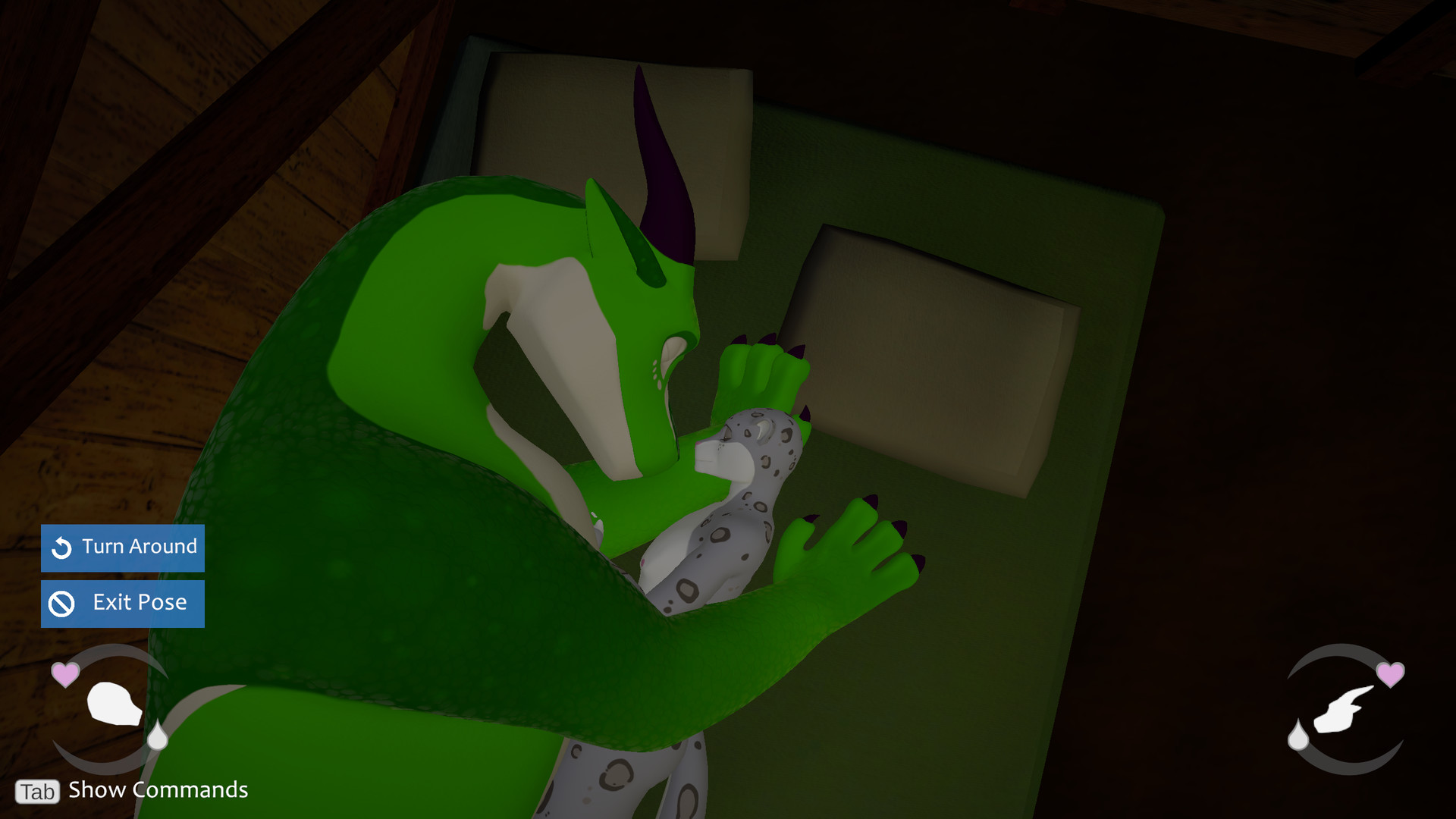
CHANGELOG (since v1.7.0 public)
[desktop/vr]
ADDED
- Added an Interaction Studio which can be accessed through the pause menu. This is currently only available in desktop mode. See https://softscale.net/interaction-studio for documentation on using the studio.
- Added an anthro/anthro Doggystyle interaction, available from the "On All Fours" interaction.
- Added an anthro/anthro 69 interaction, available from the "Lie Down" interaction.
- Added a "Reset Characters" button to the pause menu which cancels any active interactions, in order to get out of a softlock from a misconfigured interaction or other stuck state. This button also resets characters to the spawn point of the current scene.
CHANGED
- Significant refactoring to several systems and general code cleanup across the board, to get things better organized and less error-prone. This should prevent a handful of edge-case bugs and hopefully didn't introduce too many new ones. Also switched to the Mono scripting backend instead of IL2CPP, which will allow for better mod support in the future.
- Character animation rigs have been fully reworked. Some animations may look a bit different.
- Updated a number of UI elements and styles for a nicer look.
- Tweaked the character selector controls in the character menu. Also, the character menu will now open to the previously selected character, instead of always resetting to the player character.
- The radial menu for starting interactions (when multiple are available) has been replaced with a popup scrollable menu in desktop and VR, to prevent the desktop screen or radial menus from getting too crowded with options. There is now a single "Change Interaction" button for opening this menu.
- Partners set to Active AI mode will no longer choose to exit interactions when the player is also in the interaction, and will not choose to "Stop" during the built-in sex positions.
- Tweaked some lighting and exposure settings for a nicer look.
- Scrolling in nested scrollable areas will now propagate the event to the parent scrollable area if the nested one can't be scrolled.
- Changed the Patreon supporter listing so it includes anyone with a lifetime contribution of $10 or more, rather than only active/cancelled supporters, so anyone who downgraded to a lower tier doesn't get excluded from the list.
- Did a handful of minor performance tweaks to help in some areas.
FIXED
- Improvements to the spine/neck/head IK rigging for feral characters that should resolve some issues on custom feral models that didn't match the built-in models well.
- Fixed a bug where characters with configurable cock types that used different cum emitters would not bind the emitter to the cock properly, such as the Equine cocks on the Drake model.
- Resolved a handful of memory leaks that could pop up after playing for a while.
- Fixed some errors that could appear when loading a save file that has both characters standing in the same place, or at least near enough for some of their triggers to overlap.
- Fixed some animation issues that could occur with cock actions like blowjobs/handjobs on custom characters that were scaled significantly to match the built-in characters' size.
- Fixed some jittery motion on the partner's head when they're moving.
- Fixed some near-clipping render issues with anthro partners that would cause them to be clipped too far away from the camera, mostly noticeable in VR mode when getting your face close to their body.
- Fixed interactable objects not showing their highlighted outlines when they were available in some scenarios, and vice versa.
- Fixed the characters' skin selection getting reset to the species default value when changing between selected characters.
- Fixed some minor UI alignment / spacing issues in a few places.
- Fixed some overlapping UI elements in the Character Menu for characters with lots of body part options.
- Fixed a bug where fluid emitters could be active during game launch in some scenarios.
- Fixed a bug where changing from a save file with an anthro partner to one with a feral partner would cause any equipment on the feral to be unequipped.
- Fixed issues with the chest on the Legacy Leopard model when loading a file with the male body type.
REMOVED
- The "Pose Previews" preference option was removed since they are not used in the new interaction system.
KNOWN ISSUES
- Slight differences in proportions between models can cause some inconsistent animations with the anthro characters' hands when gripping / attaching to objects.
[desktop]
CHANGED
- There is no longer a "Trade" option when interacting with your partner's body - instead, both characters' inventories are available at any time when opening the Inventory menu.
FIXED
- Walking near an interactable with multiple available interactions will now correctly show the generic interact wording in the prompt instead of only showing the first available interaction.
- Fixed some odd camera behaviour when opening the Character Menu for the first time, and in some other scenarios.
[vr]
CHANGED
- The flow for launching the game in VR mode for the first time is slightly different - the first-time VR calibration is now done after creating or selecting a save file and configuring your character, instead of immediately on game launch.
- Instead of the A button on both hands opening a radial menu for the player, only the left-hand A button is for the player, and the partner radial is now assigned to the right-hand A button. The right-hand B/Y button is no longer bound to an action.
- The "trigger zone" setup for starting interactions as the player in VR has been replaced with an interact pointer for the player's radial menu, similar to the interact pointer for the partner. Simply aim the pointer at the interactable you want to use and pull the trigger to start interacting with it.
- Increased the size of the full-body tracking calibration triggers, to make it easier to configure.
- Reduced the distance needed before the player's hands will force-snap back to their controller positions if they get stuck on geometry.
- Increased the physics strength of the hands, to make fingering/fisting your partner a bit easier.
- Updated the VR Tutorial pages to use the new controls and interaction system.
FIXED
- Fixed some collision issues with the VR player hands, and reworked the cock-grab setup, to significantly improve cock grabbing and stroking.
- Fixed a bug where launching the game in Standing play style with full-body tracking disabled would cause the player's fingers to not respond to grip/trigger inputs until the play style or full-body tracking settings were toggled.
- Fixed a bug where the partner's cock would not get erect during some poses when they are supposed to penetrate the player.
- Fixed a bug causing the player's body to disappear or warp very far downward in certain scenarios, especially in lying-down or other horizontal interactions.
- Fixed an occasional bug with dildos getting stuck to partner's holes after penetrating.
- Fixed a bug with some scrollable areas not scrolling correctly unless the UI pointer was aiming at buttons / fields inside the area.
- Fixed the walking animations for the player not playing correctly in some scenarios.
- Fixed some glitchy physics issues with the stall gates and their latches in the stable.
REMOVED
- The ability to carry your anthro partner by the hips has been temporarily removed.
- The "Swap Menu Hands" option has been removed since the relevant button bindings were changed.
NOTES
- Due to changes in character rigs, any saved hip or foot tracker calibration for full-body tracking will need to be re-assigned.
[interaction studio]
ADDED
- The Interaction Library is the entry point for the Studio, where all the interactions in the game can be seen. Custom interactions can be created and edited here, and can be copied from built-in interactions as a starting point.
- The Interaction Studio has many functions for configuring the interaction itself, the roles (characters) involved, entry points and camera planes, and other properties.
- The State Machine Editor controls the flow of the interaction, from the entry point to any number of States (poses), and also supports layers for implementing actions for different body parts like the head, hands, and feet, to be layered on top of the base pose. Here you can also define the action buttons for transitioning between states, and the type of animations used in states and transitions.
- The Animation Editor allows you to pose the characters in each state or transition by positioning their body, head, hands, and feet, among other properties like finger curls and penetration depth. You can set Keyframes for moving limbs from one pose to another over time, and use Events to trigger special actions like changing the alignment of a body part, such as attaching a hand to your partner's body or starting penetration.
[importer]
ADDED
- Added a "Sheath" penetrable type, which is used for alignments for the nuzzling/fingering actions in the Servicing positions. This should be added to sheathed characters to support these actions.
CHANGED
- Due to animation rig changes in-game, all touch targets that had been configured on characters before v1.7.2 need to be updated. This is handled with an automatic migration that should be run on all custom characters to prevent animation issues, by clicking the "Migrate" button in the CharacterImporter component.
FIXED
- Improved functionality for the "Initialize" action in the Hand / Finger Setup module when handling characters with fewer than five fingers, or with improperly configured hand bones in their avatars.
REMOVED
- The Avatar Workflow field has been removed, specifically the Manual workflow mode - all characters will now use what was the Automatic mode.
- The DetectCollision script has been removed, and its usage replaced with the regular DetectObjectsInTrigger. This script was previously only present on the FingerControl prefabs that is populated on Anthro characters, so any Anthro characters may need to be re-exported to work properly in v1.7.1+. Unless you had unpacked the FingerControl prefab in your characters this should have updated to the new setup automatically, and you can just update the CharacterImporter package and re-export your characters.
Become a supporter for access to the latest alpha builds:
https://www.patreon.com/softscale
https://subscribestar.adult/softscale
Or, keep following the game here on Steam for the periodic free public builds!
[desktop/vr]
ADDED
- Added an Interaction Studio which can be accessed through the pause menu. This is currently only available in desktop mode. See https://softscale.net/interaction-studio for documentation on using the studio.
- Added an anthro/anthro Doggystyle interaction, available from the "On All Fours" interaction.
- Added an anthro/anthro 69 interaction, available from the "Lie Down" interaction.
- Added a "Reset Characters" button to the pause menu which cancels any active interactions, in order to get out of a softlock from a misconfigured interaction or other stuck state. This button also resets characters to the spawn point of the current scene.
CHANGED
- Significant refactoring to several systems and general code cleanup across the board, to get things better organized and less error-prone. This should prevent a handful of edge-case bugs and hopefully didn't introduce too many new ones. Also switched to the Mono scripting backend instead of IL2CPP, which will allow for better mod support in the future.
- Character animation rigs have been fully reworked. Some animations may look a bit different.
- Updated a number of UI elements and styles for a nicer look.
- Tweaked the character selector controls in the character menu. Also, the character menu will now open to the previously selected character, instead of always resetting to the player character.
- The radial menu for starting interactions (when multiple are available) has been replaced with a popup scrollable menu in desktop and VR, to prevent the desktop screen or radial menus from getting too crowded with options. There is now a single "Change Interaction" button for opening this menu.
- Partners set to Active AI mode will no longer choose to exit interactions when the player is also in the interaction, and will not choose to "Stop" during the built-in sex positions.
- Tweaked some lighting and exposure settings for a nicer look.
- Scrolling in nested scrollable areas will now propagate the event to the parent scrollable area if the nested one can't be scrolled.
- Changed the Patreon supporter listing so it includes anyone with a lifetime contribution of $10 or more, rather than only active/cancelled supporters, so anyone who downgraded to a lower tier doesn't get excluded from the list.
- Did a handful of minor performance tweaks to help in some areas.
FIXED
- Improvements to the spine/neck/head IK rigging for feral characters that should resolve some issues on custom feral models that didn't match the built-in models well.
- Fixed a bug where characters with configurable cock types that used different cum emitters would not bind the emitter to the cock properly, such as the Equine cocks on the Drake model.
- Resolved a handful of memory leaks that could pop up after playing for a while.
- Fixed some errors that could appear when loading a save file that has both characters standing in the same place, or at least near enough for some of their triggers to overlap.
- Fixed some animation issues that could occur with cock actions like blowjobs/handjobs on custom characters that were scaled significantly to match the built-in characters' size.
- Fixed some jittery motion on the partner's head when they're moving.
- Fixed some near-clipping render issues with anthro partners that would cause them to be clipped too far away from the camera, mostly noticeable in VR mode when getting your face close to their body.
- Fixed interactable objects not showing their highlighted outlines when they were available in some scenarios, and vice versa.
- Fixed the characters' skin selection getting reset to the species default value when changing between selected characters.
- Fixed some minor UI alignment / spacing issues in a few places.
- Fixed some overlapping UI elements in the Character Menu for characters with lots of body part options.
- Fixed a bug where fluid emitters could be active during game launch in some scenarios.
- Fixed a bug where changing from a save file with an anthro partner to one with a feral partner would cause any equipment on the feral to be unequipped.
- Fixed issues with the chest on the Legacy Leopard model when loading a file with the male body type.
REMOVED
- The "Pose Previews" preference option was removed since they are not used in the new interaction system.
KNOWN ISSUES
- Slight differences in proportions between models can cause some inconsistent animations with the anthro characters' hands when gripping / attaching to objects.
[desktop]
CHANGED
- There is no longer a "Trade" option when interacting with your partner's body - instead, both characters' inventories are available at any time when opening the Inventory menu.
FIXED
- Walking near an interactable with multiple available interactions will now correctly show the generic interact wording in the prompt instead of only showing the first available interaction.
- Fixed some odd camera behaviour when opening the Character Menu for the first time, and in some other scenarios.
[vr]
CHANGED
- The flow for launching the game in VR mode for the first time is slightly different - the first-time VR calibration is now done after creating or selecting a save file and configuring your character, instead of immediately on game launch.
- Instead of the A button on both hands opening a radial menu for the player, only the left-hand A button is for the player, and the partner radial is now assigned to the right-hand A button. The right-hand B/Y button is no longer bound to an action.
- The "trigger zone" setup for starting interactions as the player in VR has been replaced with an interact pointer for the player's radial menu, similar to the interact pointer for the partner. Simply aim the pointer at the interactable you want to use and pull the trigger to start interacting with it.
- Increased the size of the full-body tracking calibration triggers, to make it easier to configure.
- Reduced the distance needed before the player's hands will force-snap back to their controller positions if they get stuck on geometry.
- Increased the physics strength of the hands, to make fingering/fisting your partner a bit easier.
- Updated the VR Tutorial pages to use the new controls and interaction system.
FIXED
- Fixed some collision issues with the VR player hands, and reworked the cock-grab setup, to significantly improve cock grabbing and stroking.
- Fixed a bug where launching the game in Standing play style with full-body tracking disabled would cause the player's fingers to not respond to grip/trigger inputs until the play style or full-body tracking settings were toggled.
- Fixed a bug where the partner's cock would not get erect during some poses when they are supposed to penetrate the player.
- Fixed a bug causing the player's body to disappear or warp very far downward in certain scenarios, especially in lying-down or other horizontal interactions.
- Fixed an occasional bug with dildos getting stuck to partner's holes after penetrating.
- Fixed a bug with some scrollable areas not scrolling correctly unless the UI pointer was aiming at buttons / fields inside the area.
- Fixed the walking animations for the player not playing correctly in some scenarios.
- Fixed some glitchy physics issues with the stall gates and their latches in the stable.
REMOVED
- The ability to carry your anthro partner by the hips has been temporarily removed.
- The "Swap Menu Hands" option has been removed since the relevant button bindings were changed.
NOTES
- Due to changes in character rigs, any saved hip or foot tracker calibration for full-body tracking will need to be re-assigned.
[interaction studio]
ADDED
- The Interaction Library is the entry point for the Studio, where all the interactions in the game can be seen. Custom interactions can be created and edited here, and can be copied from built-in interactions as a starting point.
- The Interaction Studio has many functions for configuring the interaction itself, the roles (characters) involved, entry points and camera planes, and other properties.
- The State Machine Editor controls the flow of the interaction, from the entry point to any number of States (poses), and also supports layers for implementing actions for different body parts like the head, hands, and feet, to be layered on top of the base pose. Here you can also define the action buttons for transitioning between states, and the type of animations used in states and transitions.
- The Animation Editor allows you to pose the characters in each state or transition by positioning their body, head, hands, and feet, among other properties like finger curls and penetration depth. You can set Keyframes for moving limbs from one pose to another over time, and use Events to trigger special actions like changing the alignment of a body part, such as attaching a hand to your partner's body or starting penetration.
[importer]
ADDED
- Added a "Sheath" penetrable type, which is used for alignments for the nuzzling/fingering actions in the Servicing positions. This should be added to sheathed characters to support these actions.
CHANGED
- Due to animation rig changes in-game, all touch targets that had been configured on characters before v1.7.2 need to be updated. This is handled with an automatic migration that should be run on all custom characters to prevent animation issues, by clicking the "Migrate" button in the CharacterImporter component.
FIXED
- Improved functionality for the "Initialize" action in the Hand / Finger Setup module when handling characters with fewer than five fingers, or with improperly configured hand bones in their avatars.
REMOVED
- The Avatar Workflow field has been removed, specifically the Manual workflow mode - all characters will now use what was the Automatic mode.
- The DetectCollision script has been removed, and its usage replaced with the regular DetectObjectsInTrigger. This script was previously only present on the FingerControl prefabs that is populated on Anthro characters, so any Anthro characters may need to be re-exported to work properly in v1.7.1+. Unless you had unpacked the FingerControl prefab in your characters this should have updated to the new setup automatically, and you can just update the CharacterImporter package and re-export your characters.
Become a supporter for access to the latest alpha builds:
https://www.patreon.com/softscale
https://subscribestar.adult/softscale
Or, keep following the game here on Steam for the periodic free public builds!
More from FarmD